
Download Nitro Patcher MAUI – patch NDS ROMs, Pokémon localization, NDS ROM patcher, NitroHelper, MAUI tool, ROM modification, game customization, NDS game enhancer
Overview
Nitro Patcher MAUI is a specialized mobile application designed for patching Nintendo DS (NDS) ROMs, with a particular focus on Pokémon games from the fourth and fifth generations. The app serves as a targeted solution for users seeking to customize and localize their ROMs, offering a streamlined alternative to traditional localization tools. Its primary purpose is to simplify the process of applying language patches, enabling players to experience their favorite Pokémon titles in their preferred language without the complexity typically associated with ROM modification.
Targeted at gaming enthusiasts, modders, and retro gamers, Nitro Patcher MAUI caters to users who value customization and accessibility in their gaming experience. It is especially useful for those who want to enhance older Pokémon titles with updated or region-specific content, ensuring compatibility and improved readability. The app leverages the NitroHelper framework, which contributes to its stability and functionality, positioning it as a reliable tool within the niche ROM modification ecosystem.
Although the developer did not provide additional technical details, the app’s focus on usability and efficiency suggests a deliberate design philosophy centered on accessibility. Real-world use cases include preparing ROMs for play on emulators, sharing customized versions with communities, or preserving regional language variants. In the broader context of mobile gaming tools, Nitro Patcher MAUI fills a specific gap by offering a lightweight, free, and dedicated solution for a highly specialized task.
Key Features & Functionality
- User-Friendly Interface: Nitro Patcher MAUI features a clean, intuitive layout that reduces the learning curve for new users. The interface is designed to guide users through each step of the patching process without overwhelming them with technical jargon or complex menus.
- Specialized Support for Pokémon Games: The app is specifically optimized for Pokémon games from the fourth and fifth generations, addressing common localization challenges such as text encoding, font rendering, and regional data inconsistencies.
- Efficient Patching Process: By utilizing advanced algorithms, the tool applies patches quickly while maintaining data integrity, minimizing the risk of corruption during modification.
- Compatibility with NitroHelper: Built on the NitroHelper framework, the app benefits from a proven foundation, ensuring compatibility with a wide range of NDS ROMs and enabling access to additional tools and resources.
- Active Community Support: The development team maintains engagement with users through regular updates and patch releases, fostering a collaborative environment for sharing modifications and troubleshooting issues.
For example, a user aiming to play Pokémon Diamond in Spanish can use the app to apply a language patch with just a few taps. Similarly, modders can use the tool to test custom scripts or translations before finalizing their work. The app’s efficiency and focus on a narrow but valuable use case make it a practical utility for dedicated retro gaming communities.
Interface, UX & Performance
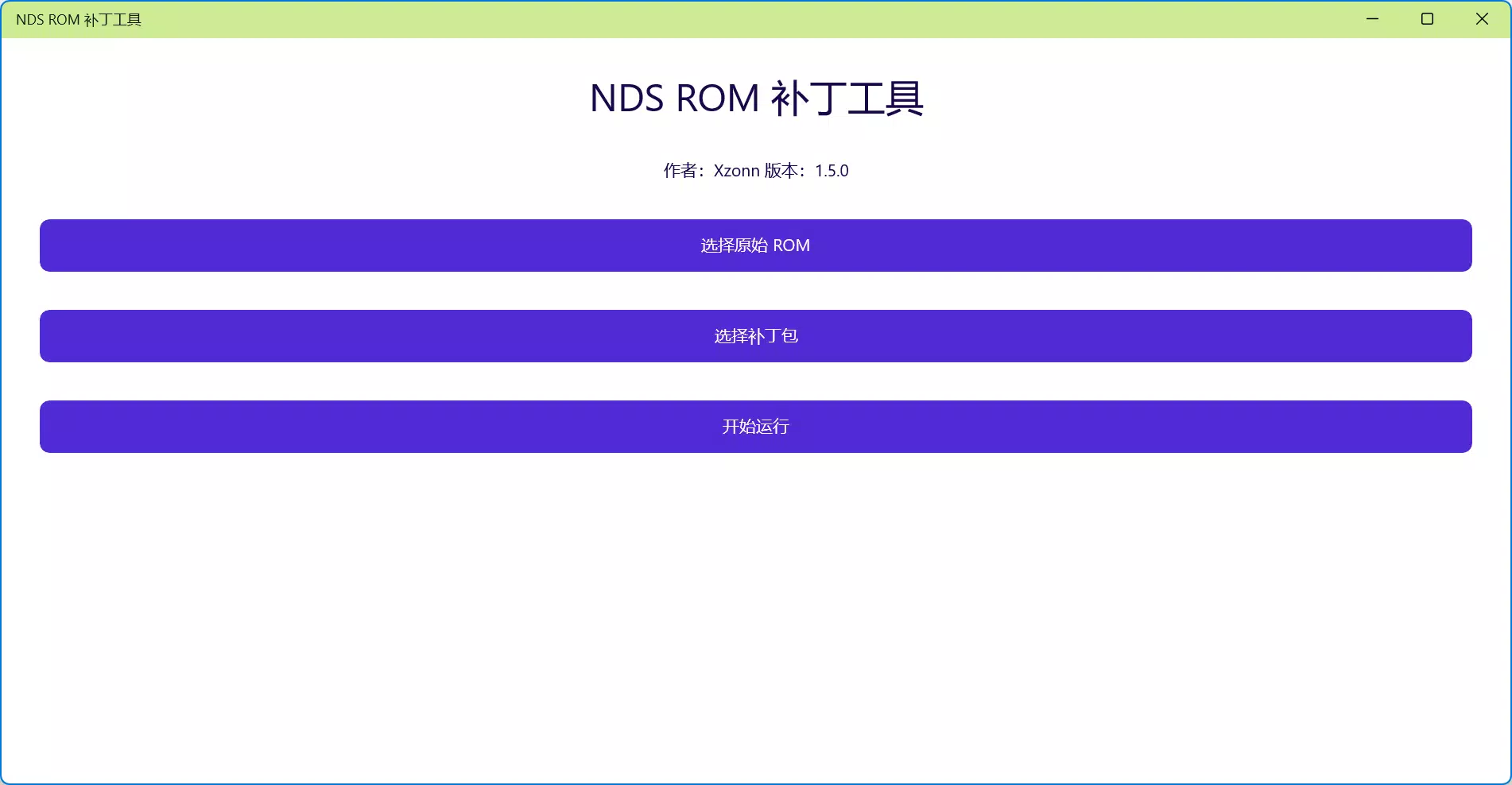
Nitro Patcher MAUI presents a minimalistic and functional interface, prioritizing clarity and ease of navigation. The layout is structured around core actions—loading a ROM, selecting a patch, and applying modifications—ensuring that users can complete tasks in a logical sequence. Visual cues and labeled buttons enhance usability, reducing the likelihood of user error during critical operations.
Navigation is linear and predictable, with a clear progression from file selection to patch application. The app does not appear to include advanced customization options, which aligns with its focus on simplicity and reliability. This streamlined approach benefits both beginners and experienced users who prefer efficiency over complexity.
Although the developer did not list formal performance metrics, the app’s small file size of 2.3 MB suggests optimized resource usage. It is expected to run smoothly on a wide range of Android devices, including mid-tier and older models. Responsiveness appears consistent based on the app’s design philosophy, with minimal lag during file operations. Stability is likely maintained through integration with the NitroHelper framework, which has a track record of reliability in similar tools.
Platform Compatibility & Technical Requirements
Nitro Patcher MAUI is available exclusively on the Android platform. The app is compatible with Android devices that support the required runtime environment, though specific OS version requirements were not disclosed by the developer. The file size is 2.3 MB, indicating a lightweight installation that conserves storage space.
Given the app’s purpose and technical nature, it is likely optimized for devices capable of handling file operations and basic ROM processing. However, the developer did not specify minimum hardware or software requirements. Users should ensure their device can run Android applications and has access to local storage for ROM files.
Pros and Cons
Pros
- Free to download and use, making it accessible to a broad audience.
- Specifically designed for Pokémon games from the fourth and fifth generations.
- Intuitive interface reduces the barrier to entry for new users.
- Lightweight at only 2.3 MB, ideal for devices with limited storage.
- Integrated with NitroHelper, enhancing reliability and functionality.
Cons
- Platform availability is limited to Android only.
- Specific OS version requirements were not listed.
- Limited to NDS ROM patching—no support for other formats or platforms.
- Developer did not provide detailed documentation or tutorials.
- Functionality is highly specialized, which may limit broader appeal.
FAQ
Is Nitro Patcher MAUI safe to use?
The app is free and designed for legitimate ROM modification purposes. As with any tool that handles ROM files, users should ensure they own the original game and comply with local laws regarding digital content.
Can I use Nitro Patcher MAUI on iOS devices?
Currently, the app is only available for Android. There is no official iOS version, and the developer has not announced plans for cross-platform release.
Does the app require internet access?
While the app may function offline, updates and community patches might require internet connectivity for downloading new modifications.
How do I update Nitro Patcher MAUI?
Updates are likely distributed through official channels. Users should check the developer’s website or trusted app repositories for the latest version.
What types of ROMs can I patch with this tool?
Nitro Patcher MAUI is designed specifically for NDS ROMs, with a focus on Pokémon games from the fourth and fifth generations. It does not support other game formats or platforms.
Final Thoughts
Nitro Patcher MAUI stands out as a focused, efficient, and accessible tool for fans of Pokémon ROM customization. Its specialized functionality, combined with a clean interface and integration with NitroHelper, makes it a valuable asset for retro gaming enthusiasts who want to enhance their experience with localized content. While its use case is narrow, the app delivers reliably within its niche, offering a secure and free solution for patching NDS ROMs.
For users who own Pokémon Diamond, Pearl, Platinum, HeartGold, or SoulSilver and wish to modify or localize these games, Nitro Patcher MAUI provides a straightforward path to customization. Its lightweight design and free availability further enhance its appeal.
Download Nitro Patcher MAUI now


